Download Our App
Get application for a better experience on your smartphone, tablet, or desktop.
Android App
Download our app for Android phones and tablets.Both app versions below can be used.
Download APP1 Download APP2iOS App
You can install SmartersPlayerLite by searching for it in the iOS App Store on your device.
Download for IOSWatch through a web browser
Support watching live streams from any device (Android, iOS, PC devices).
Click here to watchUsage Tutorials
1. Android Device Usage Tutorial
Step-by-step guide to install and use our app on Android devices.
1: Download the APK file, Install and start.
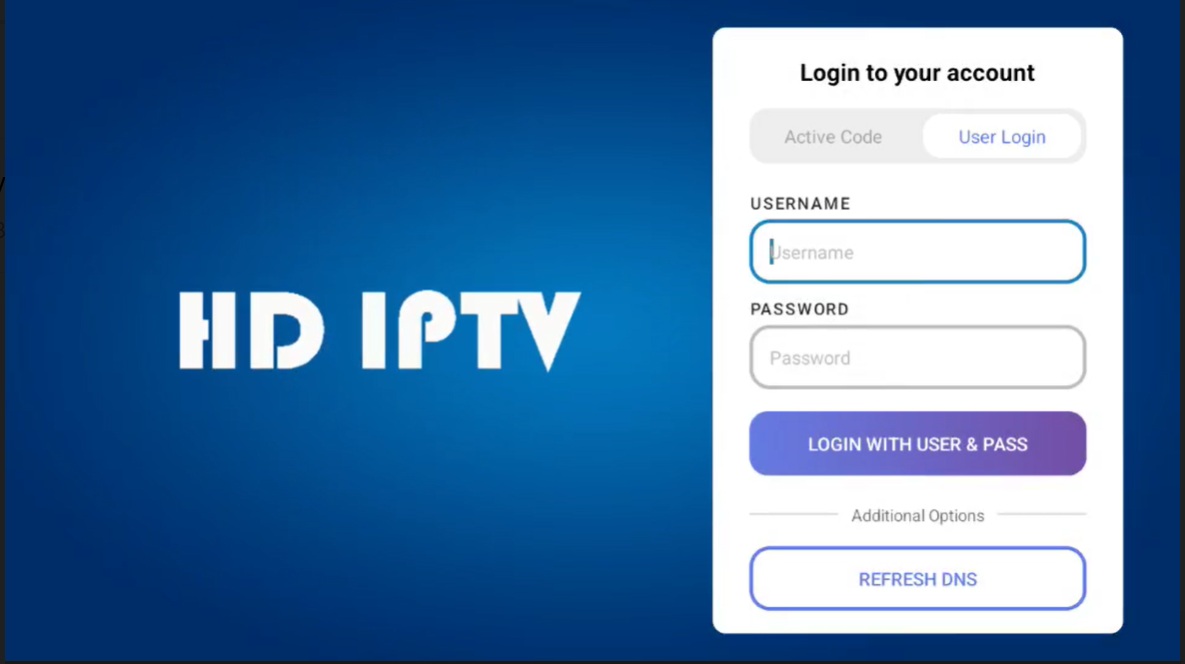
Enter the username and password of the account you purchased to log in and use it.
2: If you purchase a new account, you will need to switch to the old account.
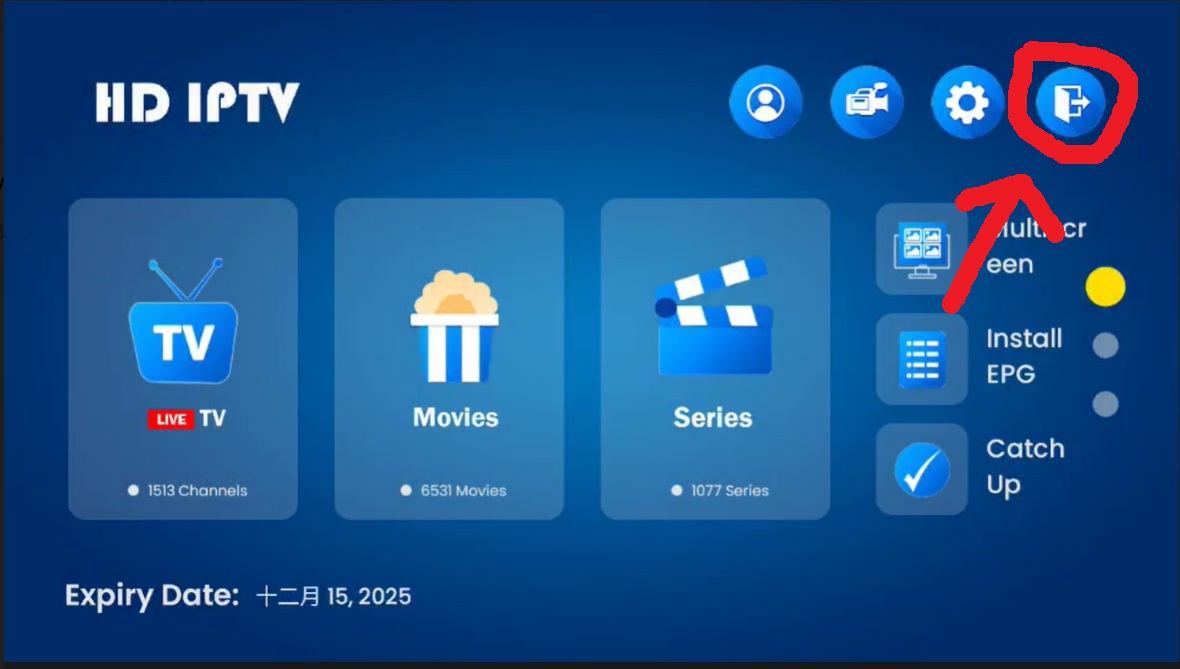
Click on the logout button circled in red as shown in the picture to log out of the old account.
2. iOS Device Usage Tutorial
1: Click on the download link to enter the iOS App Store and install SmartersPlayerLite.
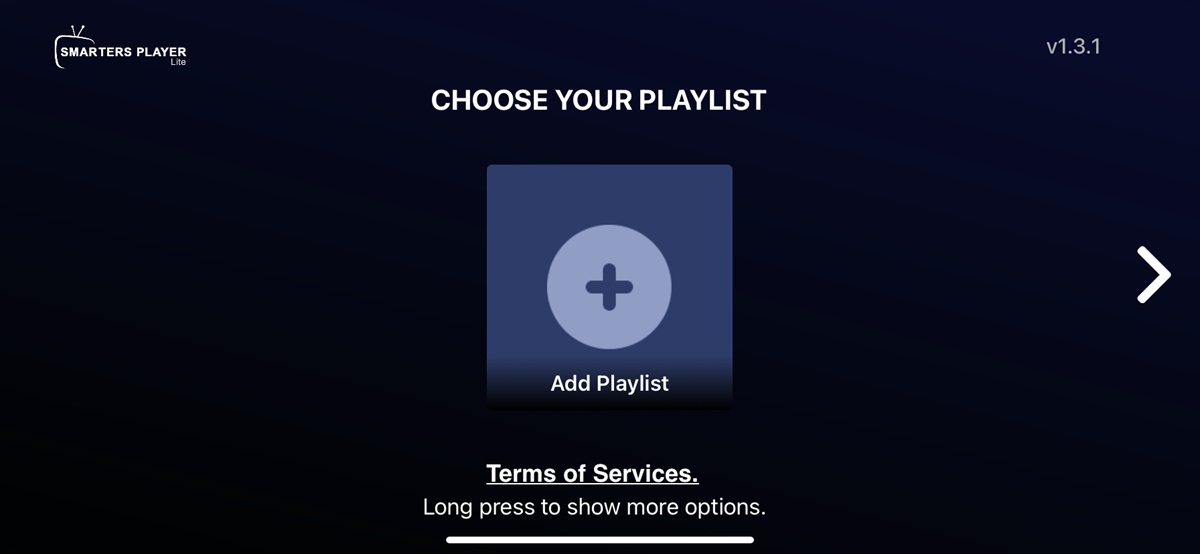
Install and launch the application.Click on 'add playlist' as shown in the picture.
2: Click on the "XTREAM CODE" option.
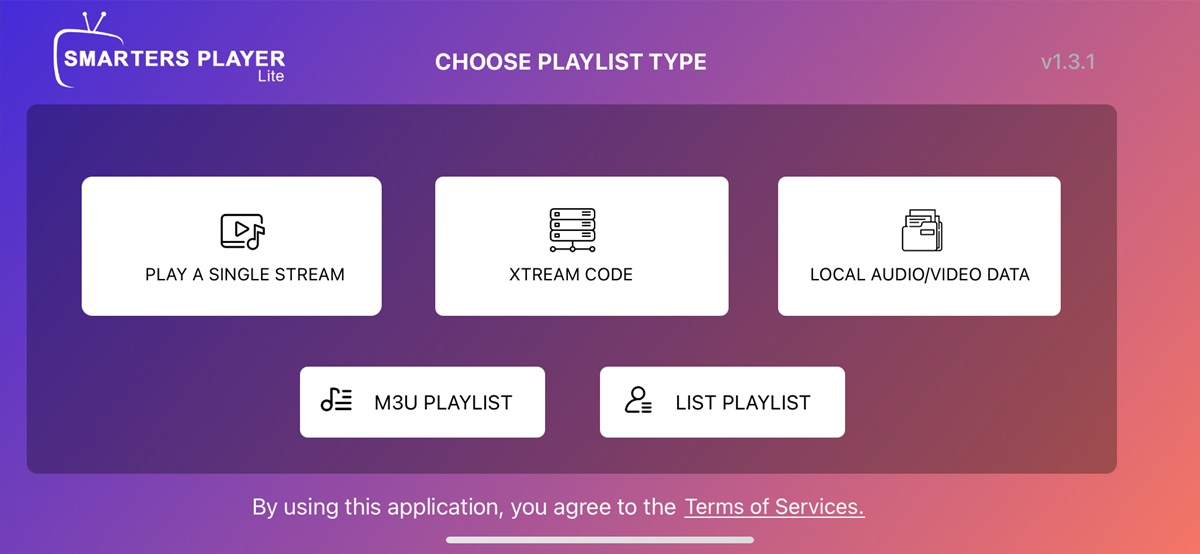
3: Enter the purchased account information.
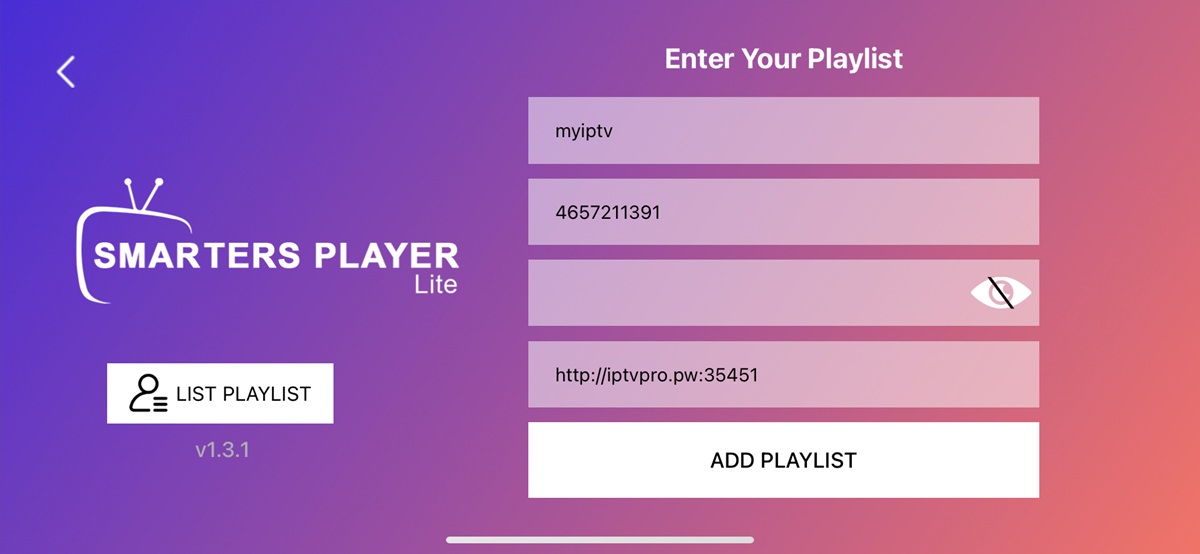
The first item is a name that you can customize. The second and third items are username and password. The fourth item is our server address:http://iptvpro.pw:35451
4: Method for changing to a new account
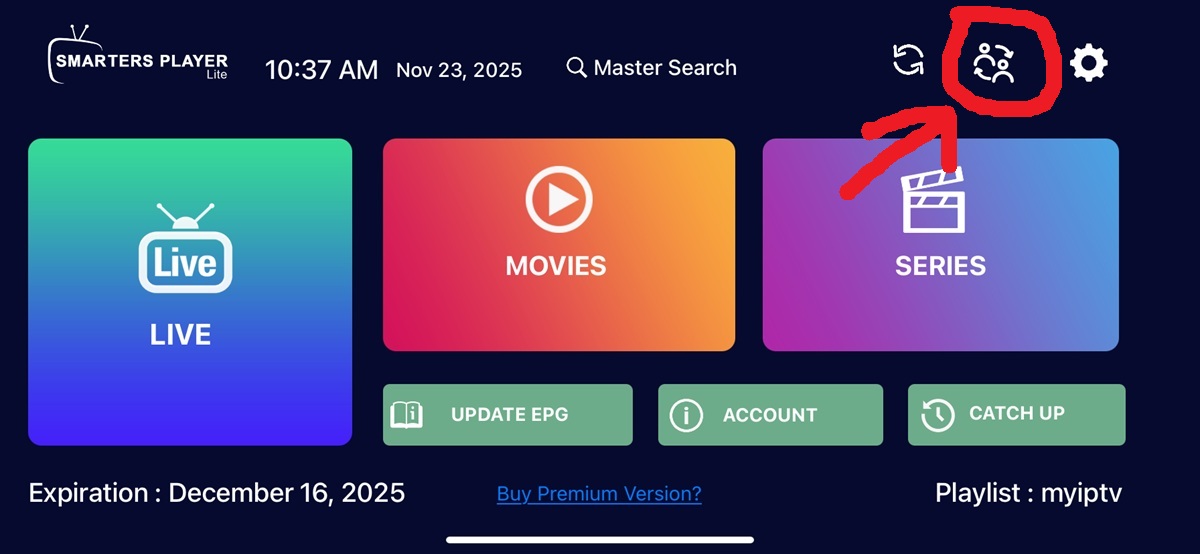
Click the button circled in the circle in the figure to enter the account management interface.
4: Keep holding down the current account to receive a prompt to delete it.
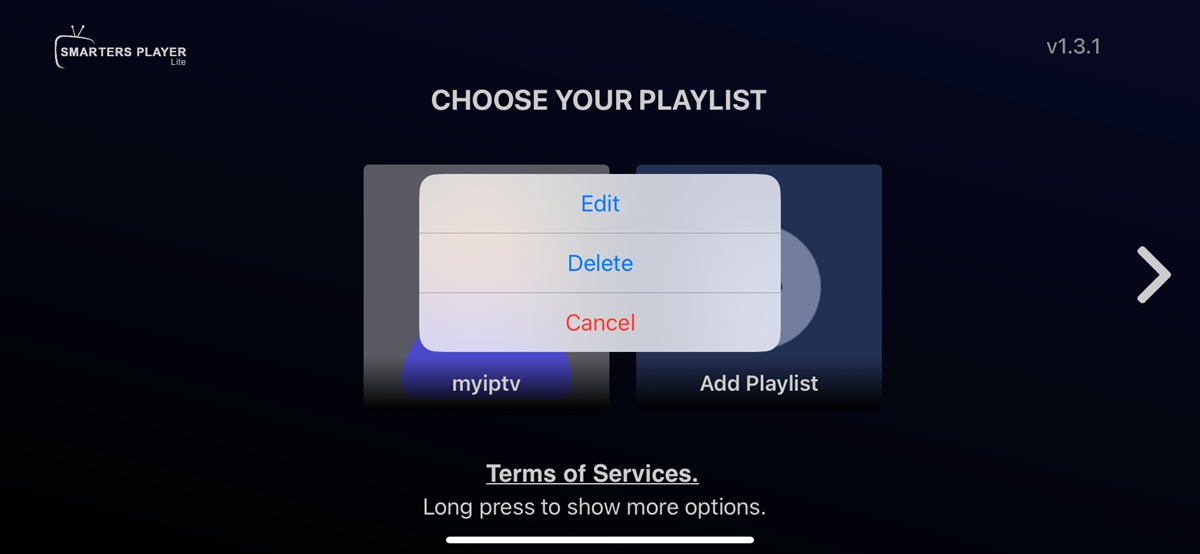
3. Watch tutorials on any device using a web browser.
1: Enter URL: http://www.iptvapk.com

Enter the account and password you purchased to play.
Third party application support
- We provide you with an m3u list that you can use on any supported application for greater flexibility.